Quiz Customization
Question parameters and layout
The "Quiz Placeholder" component in the "QuizPanel" prefab offers a series of parameters that help creators to better customize the quiz content.
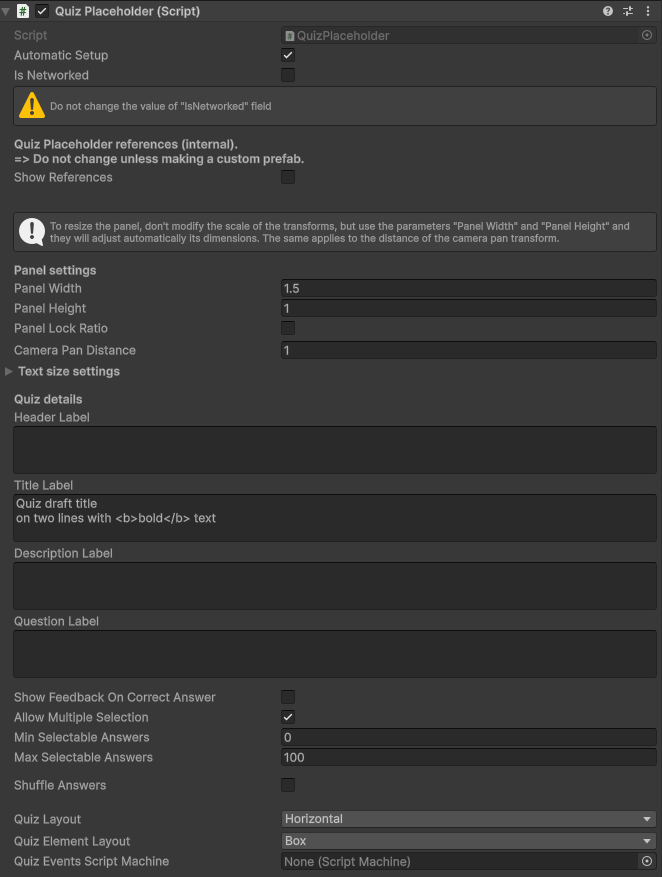
Some of the configurable parameters are:
- "Show Feedback On Correct Answer": Whether to show a feedback message in case of correct answer or not.
- "Allow Multiple Selection": This toggle allows users to select more than one answer.
- "Min selectable answers": Works only if "Allow Multiple Selection" is active. Select the minimum number of selectable answers for the question.
- "Allow Multiple Selections": Works only if "Allow Multiple Selection" is active. Select the maximum number of selectable answers for the question.
- "Shuffle Answers": Give a different order to the answers every time the quiz is started.
- "Pick Subset": Works only if "Shuffle Answers" is active. If you have a wide range of possible answers, you can choose to pick up a smaller set of them for each session.
- "Answers Subset Quantity": Works only if "Pick Subset" is active. Choose how many answers to pick for a quiz instance.
- "Min Correct Answers Quantity": Works only if "Pick Subset" is active. Choose how many minimum correct answers to pick for a quiz instance. Useful if "Allow Multiple Selection" is toggled.
- "Pick Subset": Works only if "Shuffle Answers" is active. If you have a wide range of possible answers, you can choose to pick up a smaller set of them for each session.
- "Quiz Layout": Select the answer's disposition on the panel.
Text size settings
The Quiz is rendered with a predefined setup of font sizes related to single text elements.
If you need to change them, you can expand the "Text size settings" menu and override the sizes you need.
Answers
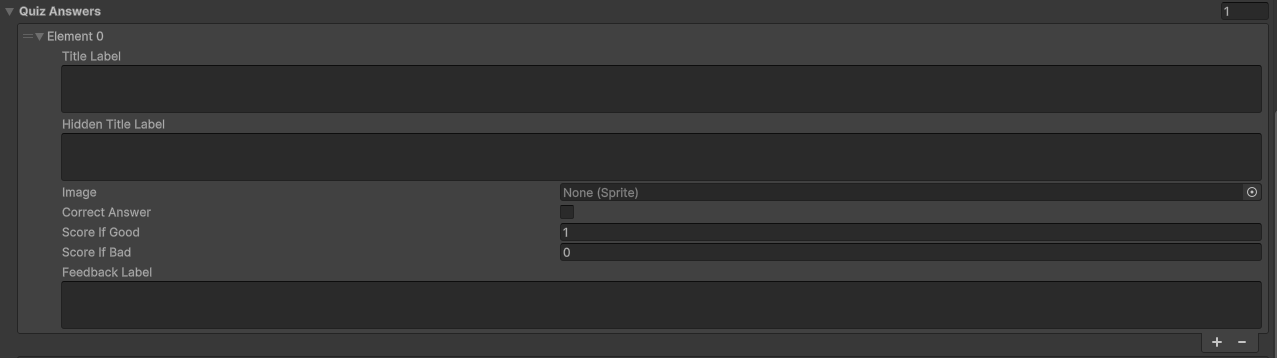
The last manageable parameter is "Answers". From here it's possible to customize how many answers are available per quiz, decide which are correct and customize their appearence with images and a score system.
Note
Follow the tips written in the inspector to customize the prefab in the right way!